What a dental practice website needs in 2026
Booking, new-patient paperwork, insurance answers, a phone-first layout, your Google listing and reviews handled the right way, and where to start.
A new patient usually meets your practice on a phone screen, often while doing something else. They have a toothache, a new job with new insurance, or a child who needs a first visit. In a minute or two, they decide whether to call you or the next practice in the results.
We design websites for dental practices, and a few basics decide that minute. Here is what we would put on any dental site in 2026, roughly in order of how much it matters.
Make booking the easiest thing on the page
Many people who visit a dental site want one thing: an appointment. Give them three ways to ask for one, and keep all three within reach on every screen.
- A call button. On a phone, your number should be a tap-to-call link, not an image or plain text. Put it in the header and in a bar that stays at the bottom of the screen.
- Online booking. If your practice software or scheduler offers an online booking link, put it on the site and label it plainly, like “Book a cleaning” or “New patient visit.”
- A short request form. Some patients would rather not pick a time. Name, phone, reason for the visit and a preferred time of day are enough. Your front desk calls them back.
If your booking tool can separate new and returning patients, use that. New patients usually need a longer first appointment, and they are the ones you are working to win.
Answer the new-patient questions before they call
Someone who has never been to your office has the same handful of questions. Answer them on one clear “New patients” page, linked from the menu and the homepage:
- What happens at the first visit, and about how long it takes
- What to bring: insurance card, photo ID, a list of medications
- Where to park, which entrance to use, and how to reach the office if stairs are hard
- How to fill out forms ahead of time
- What you offer nervous patients, if you have sedation or comfort options
For the forms themselves, link to the secure intake forms from your practice software or patient intake provider. Health history belongs in a system built to hold it, not in a plain website contact form that lands in someone’s email.
Say plainly which insurance you take
“Do you take my insurance?” may be the question your front desk hears most. Your website can answer it before the phone rings.
List the plans you are in network with by name, near the top of the new-patient page, and keep the list current. If you are out of network with a plan but will file claims for patients, say that too. Then explain what you offer people without insurance: an in-house membership plan, payment options, or financing through a lender. You can be clear about how paying works without publishing a fee schedule.
Design for the phone first
Google says it uses “the mobile version of a site’s content” for indexing and ranking, in its mobile-first indexing guide. Many of your patients are on phones too. So the phone layout is the real website, and the desktop layout is the variation.
Three checks matter most:
- Speed. Google’s web.dev guidance says the main content of a page should appear in 2.5 seconds or less for a good experience (it calls this Largest Contentful Paint). You can test any page for free with PageSpeed Insights. Big background videos and full-size photos are common reasons a dental site is slow.
- Readable text. Body text should be comfortable to read without pinching to zoom.
- Buttons sized for thumbs. Call, book and directions should be easy to tap without hitting the wrong one.
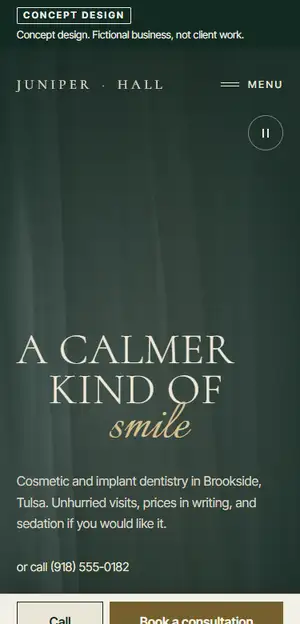
Treat your Google Business Profile as a second homepage
Many patients see your Google Business Profile before they ever reach your website. It shows your hours, phone number, reviews, photos and a link to your site, right in Search and Maps.
Google’s own tips to improve your local ranking say that “businesses with complete and accurate info are more likely to show up in local search results.” For a dental practice, that means:
- The right primary category (general dentist, pediatric dentist, orthodontist and so on), with extra categories only where they are true
- Hours that match your website, plus special hours for holidays and closures
- Your booking link, if your profile offers the option, pointing to the same scheduler as your website
- Real photos of your office, team and front entrance, so a first-time patient recognizes the building
- A website link that goes to the right page; for a practice with several offices, the page for that office
Make sure your practice name, address and phone number match between the profile and the site. Google’s guidelines for representing your business ask you to use your real-world business name, the way it appears on your signs and storefront.
Reviews, done right under the FTC rule
Reviews matter to new patients, and the rules around them got stricter. The Federal Trade Commission’s rule on consumer reviews and testimonials took effect on October 21, 2024. According to the FTC’s announcement, it bans, among other things:
- Fake reviews, including reviews from people with no real experience of the business
- Incentives offered on the condition that a review be positive (or negative)
- Reviews from staff, managers or their relatives without clearly disclosing the connection
- Using threats or intimidation to keep negative reviews off the internet or get them removed
What about asking only the patients you think are happy? The FTC’s Q&A says the rule does not specifically prohibit it, but that the practice “could violate the FTC Act.” Google’s review policy is firmer on its own platform: businesses may not discourage negative reviews or selectively ask for positive ones, and incentivized reviews are removed.
So the honest approach is also the simple one:
- Ask every patient, the same way. A card at checkout or a follow-up text with your review link works. Google’s tips to get more reviews describe sharing a link or a QR code.
- Offer nothing in return. No discounts, no drawing entries, no free whitening.
- Reply with care. Answer reviews, good and bad, without confirming that the reviewer is a patient or mentioning any treatment. Thank them, and invite them to call the office.
- Show real words on your site. Quote reviews exactly as written, with the patient’s permission, and don’t present a hand-picked few as if they were all of your reviews. Or simply link to your Google reviews.
One technical note. If you put reviews on your own site and add review markup for search engines, Google’s review snippet guidelines say a local business that controls the reviews about itself is not eligible for star ratings in search results. Showing reviews still helps visitors; just don’t expect stars from it.
Where to start
If you have one free afternoon, open your site on your phone and try to book a visit the way a new patient would. Count the taps. Check that your insurance list is current. Then open your Google Business Profile and compare its hours and phone number with your site.
If you would like a second set of eyes, we are glad to help. Our page on websites for dental practices shows how we approach them, with concept designs for fictional practices. Or ask for a free homepage mockup: send us your current site, and we will design a new homepage on your real content and email it to you, with no obligation.