Roofing websites that get the call after a storm
Tap-to-call, pages that load fast on a weak signal, a short quote request, a clear service area, real photos and a few storm-season Google steps.
When hail or high wind rolls through, homeowners walk outside, look up, and reach for their phones. Some call the roofer who did their neighbor’s house. Many search. The roofer who gets that call is often the one whose website works best in the next two minutes: on a phone, on a crowded network, standing in a driveway.
Here is what a roofing website needs to earn that call.
One tap to call, on every screen
After a storm, many homeowners want to talk to a person. Make that effortless.
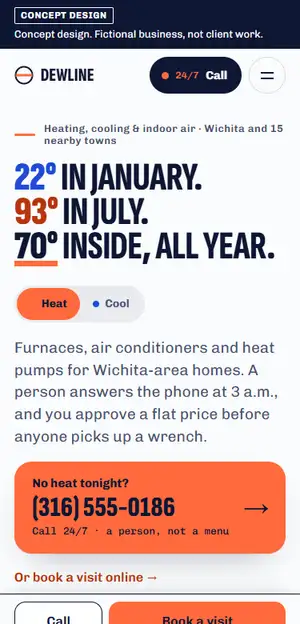
- Put your phone number in the header as a tap-to-call link. Never as an image, which a phone can’t dial.
- Add a call bar that stays at the bottom of the screen on phones, so the number is one tap away however far someone scrolls.
- Say when you answer. If you take calls evenings and weekends during storm season, say so near the top. If you don’t, say when you call back.
- Use one main number everywhere: the site, your Google Business Profile, your trucks and your yard signs.
Fast on a weak signal
Storms knock out power and crowd cell networks. A homepage that loads a big video and a dozen scripts may never finish loading for the person standing in their yard.
Google’s web.dev guidance sets a good target: the main content of a page should appear in 2.5 seconds or less. To get there on a weak connection:
- Compress every photo and size it for phones. A roof photo doesn’t need to be the full file straight off the camera.
- Skip autoplay video on the homepage. Link to it instead.
- Remove plugins, pop-ups and chat widgets you don’t use. Each one adds weight.
- Put the phone number and your main message in plain text at the very top, so they show up before the images finish.
You can test any page for free with PageSpeed Insights. Look at the mobile result, not just desktop.
A quote request that takes a minute
Not everyone wants to call, especially at 10 at night. Give them a short form that goes straight to your inbox and your phone:
- Name and phone number
- Street address or ZIP code, so you know whether it’s in your area
- What happened: hail, wind, a leak, missing shingles, a fallen limb
- Whether water is coming in right now
- An optional photo upload
Keep it to that. Every extra question is one more reason to give up. Then tell them what happens next, in words you can keep. Promise “We’ll call you back today” only if you will.
If you help homeowners through insurance claims, explain how in plain words. What a contractor may say or do around a claim varies by state, so check your state’s rules before you put it on the site.
Make your service area obvious
A homeowner wants to know right away whether you work in their town. Name your counties and main towns on the homepage, and give the most important ones their own page with jobs you have done there. Write each page for that area, rather than copying one page and swapping the town name.
Match it on Google. Google lets service-area businesses list up to 20 service areas by city or ZIP code. The same help page says that if you don’t serve customers at your business address, you should remove the address from your Business Profile.
Real photos of real roofs
Photos sell roofing work, and many homeowners can spot a stock photo. Use your own: crews on site, finished roofs, close-ups of the materials you install, and your trucks with your name on them. Phone photos are fine if they are sharp and well lit. Label each project with the town and the type of job.
If you show before and after photos, use your own photos of the same roof. Never stock images, and never edited images presented as a real result.
Show you’re the real thing
After storms, homeowners hear warnings about storm chasers. The FTC’s consumer alert on weather-related scams tells people to walk away from anyone who demands cash up front or refuses to give them copies of their license, insurance and a written contract.
Your website can answer those worries before they come up:
- Your license number, if your state or city licenses roofers, and how to get proof of insurance
- How long you have been in business, and where your office or shop is
- Manufacturer certifications and warranties, only if they are current
- How your written estimate and contract work, step by step
- Your real reviews, or a link to them on Google
Storm-season Google tips
Your Google Business Profile is often seen before your website, so get it ready before storm season starts.
- Hours. If you extend hours after a storm, set special hours so your regular hours stay as they are. For a service with its own schedule, Google suggests “More hours” instead.
- Updates. Post a short update when a storm hits your area: what you are doing, when you can get out for inspections, and how to reach you. Google archives posts older than 6 months unless you set a date range, so post fresh ones each season.
- Photos. Add new job photos through the season, so the profile shows current work.
- Reviews. Ask every customer for a review once the job is done, the same way each time, with nothing offered in return. Reply to each one.
- Consistency. The same business name, number and website on the profile, the site and your signs.
Google’s local ranking tips are clear that there is no way to request or pay for a better local ranking. Complete, accurate information and real reviews are the parts you control.
A quick test you can run tonight
Turn off Wi-Fi on your phone, search for your company, and try to request an inspection. Did the page load quickly? Could you call in one tap? Could you tell which towns you serve? Wherever the answer is no, you may be losing calls.
We build websites for roofers and other home service contractors; our page on websites for roofing and home service contractors shows how we approach them. If you would like to see your own site redesigned, ask for a free homepage mockup. We design it on your real content and email it to you. No call needed.